A website can have hundreds of pages, useful content, and a professional design but still struggle to attract organic traffic. Sometimes the problem is technical. In other cases, important pages are poorly optimised, search engines cannot access certain content, or the website does not satisfy what visitors are actually looking for.
This is where a website SEO audit becomes valuable. It helps identify problems affecting search visibility, understand how well a website is structured, and uncover opportunities to improve its organic performance.
Whether you manage a small business website, an ecommerce store, a WordPress blog, or a large business portal, a structured audit can help you understand what needs attention and where to begin.
This guide explains how to perform a website SEO audit step by step, which areas to examine, what tools can help, and how to turn audit findings into an actionable improvement plan.
What Is a Website SEO Audit?
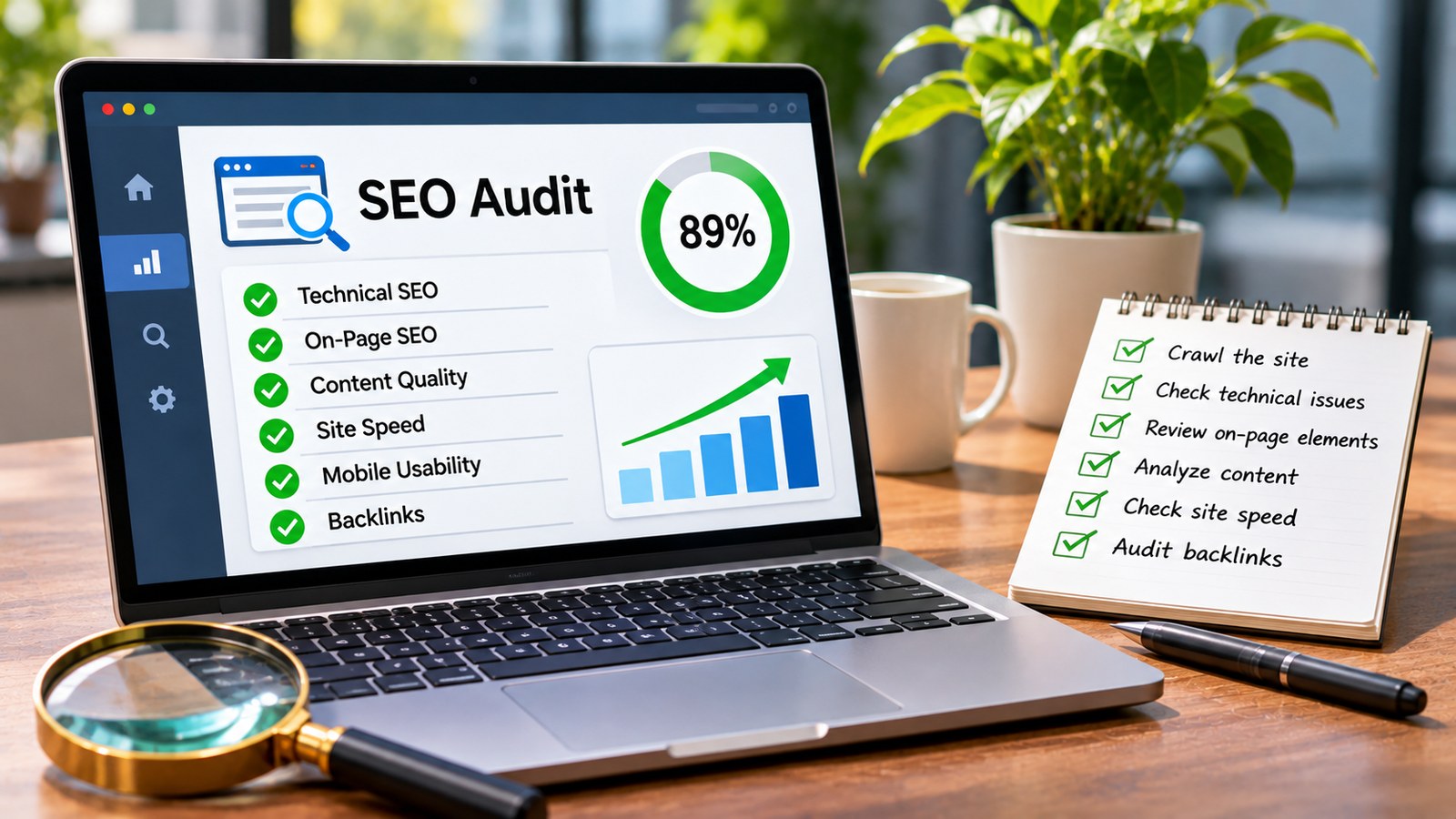
A website SEO audit is a systematic examination of a website to identify issues and opportunities related to search engine visibility, technical performance, content quality, and website structure.
It helps answer important questions:
- Can search engines access and crawl important pages?
- Are the correct pages appearing in search results?
- Does each important page target a clear search intent?
- Are titles, headings, and descriptions properly written?
- Does the website provide useful and original information?
- Are there broken links, redirect problems, or duplicate pages?
- Does the website provide a good experience on mobile devices?
- Which improvements could have the greatest impact on organic performance?
An SEO audit is not simply a technical checklist. It should examine how well a website serves its visitors while making its content accessible and understandable to search engines.
Why Is an SEO Audit Important?
Websites change constantly. New pages are published, old content becomes outdated, plugins introduce technical problems, URLs change, and website structures evolve. Without regular reviews, small issues can accumulate and affect performance.
A proper SEO audit helps businesses:
- Identify technical problems that affect crawling and indexing.
- Find pages that receive impressions but attract few clicks.
- Improve content relevance and search intent alignment.
- Discover duplicate, outdated, or low-value pages.
- Review internal linking and website architecture.
- Understand competitors and content gaps.
- Prioritise improvements based on their potential value.
For agencies and website owners managing multiple domains, regular audits also provide a consistent way to evaluate website health and report progress.
Tools You Need Before Starting an SEO Audit
You do not need dozens of expensive tools to begin. A combination of free platforms and specialist SEO software can provide a useful overview of website performance.
- Google Search Console: Review search performance, indexing, sitemap information, and page experience reports.
- Google Analytics: Understand organic traffic, user engagement, and conversions.
- Google PageSpeed Insights: Examine page performance and Core Web Vitals data.
- Screaming Frog SEO Spider: Crawl website URLs and identify technical and on-page issues.
- Semrush: Review keyword visibility, backlinks, competitors, and site audit findings.
- Ahrefs: Analyse backlinks, organic keywords, competing pages, and content opportunities.
Tool availability and features may depend on subscription levels. Start with the free Google tools if you are auditing a small website.
Step 1: Check Whether Google Can Access Your Website
Before examining keywords or backlinks, check whether search engines can access the website and its important pages.
A technically attractive website is of limited search value if important content cannot be discovered or crawled.
Review the Robots.txt File
The robots.txt file provides instructions to automated crawlers about which areas of a website they can access.
Open your website’s robots.txt file by visiting:
https://www.example.com/robots.txtReplace the example domain with your actual website address.
Check for rules that may unintentionally block important content, such as service pages, blog articles, or product categories.
For example, a broad disallow rule can prevent compliant crawlers from accessing parts of a website. However, robots.txt is not a reliable method for removing already indexed pages from search results.
Check the XML Sitemap
An XML sitemap helps search engines discover important website URLs. It is particularly useful for large websites and sites with complex structures.
Check whether your sitemap:
- Contains the correct canonical URLs.
- Includes important pages that should appear in search results.
- Excludes unnecessary redirects and broken URLs.
- Does not contain pages blocked from indexing.
- Reflects recently published or updated content.
If your website uses WordPress, an SEO plugin may automatically generate and update the sitemap.
Submit the sitemap through Google Search Console and review whether Google can process it successfully.
Check Indexing Status
Open Google Search Console and navigate to the Page indexing report. Review which pages are indexed and which are excluded.
Pay attention to:
- Pages blocked by robots.txt.
- Pages marked as noindex.
- Duplicate pages with different canonical URLs.
- Redirected pages.
- Pages discovered but not indexed.
- Pages crawled but not indexed.
- Server errors and other indexing problems.
Not every excluded URL is an error. Some pages should not be indexed, such as internal search results, certain filtered pages, and duplicate versions of existing content.
The goal is to ensure that important, valuable pages are eligible for indexing.
Step 2: Audit Your Website’s Technical SEO
Technical SEO focuses on the infrastructure that allows search engines to access, understand, and process website content.
Several technical issues can affect how efficiently search engines crawl a website and how visitors experience it.
Check Website HTTPS Security
Make sure your website uses HTTPS and that its SSL certificate is valid.
Check for:
- Valid SSL certificates.
- No mixed content warnings.
- Consistent HTTPS URLs.
- Proper redirects from HTTP to HTTPS.
- No unnecessary redirect chains.
If both HTTP and HTTPS versions of a page are accessible, configure the preferred version consistently.
Review Website Redirects
Redirects are necessary when URLs change, pages move, or websites are migrated. However, poorly managed redirects can create unnecessary complexity.
Look for:
- Broken redirects.
- Redirect loops.
- Long redirect chains.
- Redirects pointing to irrelevant pages.
- Important pages returning 404 errors.
When a page has permanently moved to a relevant replacement, a 301 redirect is generally appropriate. Avoid redirecting unrelated pages to the homepage simply to prevent errors.
Check Website Mobile Usability
Most modern websites receive a substantial share of visitors from mobile devices. Your pages should work properly on different screen sizes.
Check whether:
- Text is readable without zooming.
- Buttons and navigation elements are easy to use.
- Content fits the mobile screen.
- Images scale correctly.
- Popups do not obstruct important content.
- Forms work correctly on mobile devices.
Google primarily uses the mobile version of website content for indexing. Important information should not be missing from the mobile version.
Step 3: Evaluate Website Speed and Core Web Vitals
Website performance affects how quickly visitors can access content and interact with a page. Slow pages can create frustration, especially on mobile devices and weaker network connections.
Use Google PageSpeed Insights to examine important pages.
Understand the Core Web Vitals
Core Web Vitals measure important aspects of the user experience.
- Largest Contentful Paint (LCP): Measures how quickly the main visible content loads. A good result is 2.5 seconds or less.
- Interaction to Next Paint (INP): Measures how quickly a page responds to user interactions. A good result is 200 milliseconds or less.
- Cumulative Layout Shift (CLS): Measures unexpected movement of page elements. A good result is 0.1 or less.
These thresholds are evaluated at the 75th percentile of page visits, separately for mobile and desktop.
Improve Slow Website Pages
If your website has performance problems, investigate the actual causes rather than installing multiple optimisation plugins without testing.
Common improvements include:
- Compressing oversized images.
- Using modern image formats such as WebP or AVIF where appropriate.
- Reducing unnecessary JavaScript.
- Removing unused CSS.
- Enabling browser caching.
- Using an appropriate content delivery network.
- Improving server response time.
- Reducing unnecessary third-party scripts.
Test important landing pages individually. A homepage may perform well while a complicated product or service page remains slow.
Step 4: Perform a Complete On-Page SEO Audit
On-page SEO examines the content and HTML elements that help search engines and visitors understand individual pages.
Review the following elements on every important page.
Check Page Titles
Each important page should have a descriptive and relevant title that clearly communicates its subject.
For example:
Weak title: Services | Home
Better title: Online Reputation Management Services for Businesses
Avoid repeating the same title across multiple pages. Make sure the title accurately represents the page rather than promising information that the content does not provide.
Review Meta Descriptions
Meta descriptions summarise page content and may be used by Google when generating search result snippets.
A good description should:
- Explain what the page offers.
- Reflect the actual page content.
- Use natural language.
- Give visitors a clear reason to explore the page.
- Avoid repetitive keyword placement.
Google may generate a different snippet depending on the search query. Writing a meta description does not guarantee that the exact text will appear in search results.
Check Heading Structure
Headings help organise content and make long pages easier to read.
Review whether:
- Each page has a clear main heading.
- H2 headings introduce major sections.
- H3 headings explain relevant subsections.
- Headings accurately describe the content that follows.
- Keywords appear naturally where relevant.
Do not add keywords to every heading simply to increase their frequency.
Review URL Structure
Descriptive URLs help users understand what a page is about before opening it.
For example:
Less descriptive: example.com/page?id=2458
More descriptive: example.com/online-reputation-management/
Keep URLs simple and meaningful. Avoid changing established URLs without a clear reason and a proper redirect plan.
Audit Image Optimisation
Images contribute to the overall experience of a website, but poorly optimised files can slow down pages.
Check whether:
- Image files are appropriately compressed.
- File names describe their content.
- Alt text explains meaningful images.
- Decorative images use appropriate empty alt attributes.
- Images have suitable dimensions.
- Important images are not unnecessarily lazy-loaded.
Alt text should describe the image’s purpose or information. Avoid using it as a place to repeat unrelated keywords.
Step 5: Conduct a Keyword and Search Intent Audit
A website may target many keywords but still fail to attract relevant visitors. This often happens when the selected keywords do not match what users actually want to find.
Start by identifying the main keywords assigned to your important pages.
Use Google Search Console, keyword research tools, and your understanding of customer questions to build a keyword list.
Identify Keyword Intent
Search queries generally fall into several broad categories:
- Informational: The user wants to learn something, such as “what is online reputation management?”
- Commercial investigation: The user is comparing options, such as “best reputation management companies.”
- Transactional: The user is ready to take action, such as “hire an online reputation management agency.”
- Navigational: The user wants to find a specific company or website.
Make sure the page format matches the search intent. An informational article may not satisfy someone looking for a service provider, while a sales page may not answer a detailed educational question.
Find Keyword Cannibalisation
Keyword cannibalisation can occur when several pages target the same search intent and compete for similar queries.
For example, a website might have three articles covering nearly identical topics about removing negative Google search results. Each page may target similar terms without offering a distinct purpose.
Review these pages and decide whether to:
- Differentiate their topics and search intent.
- Improve the unique value of each page.
- Combine overlapping content when appropriate.
- Redirect outdated pages to relevant replacements.
Having multiple pages rank for related keywords is not automatically a problem. The concern is unnecessary overlap that makes it difficult to identify the best page for a particular query.
Discover Content Gaps
Compare your existing content with the questions customers ask and the subjects covered by relevant competitors.
Look for missing information, unanswered questions, and topics that deserve a dedicated page.
Do not create content simply because a competitor has published it. Every new page should serve a clear audience need.
Step 6: Audit Content Quality and Relevance
Content quality is one of the most important areas of an SEO audit. A page may be technically perfect but still struggle if it does not provide useful information.
Review the following factors:
Originality
Check whether the content provides meaningful information instead of repeating generic statements found across hundreds of websites.
Accuracy
Review statistics, product details, company information, industry claims, and other factual statements. Update outdated information where necessary.
Depth and Completeness
Check whether the page answers the main question and provides enough context for the reader to understand the subject.
Experience and Expertise
Where appropriate, include real examples, practical experience, expert contributions, and clear explanations of how a process works.
Content Freshness
Identify pages with outdated screenshots, old pricing, expired offers, incorrect product details, or references to discontinued services.
Updating a page should involve improving its actual usefulness. Changing the publication date without making meaningful improvements does not create better content.
Step 7: Review Internal Linking and Website Architecture
Internal links connect pages within your website. They help visitors discover related information and help search engines understand how different pages relate to one another.
During the audit, examine whether important pages are easy to reach and whether the website has a logical structure.
Check for Orphan Pages
An orphan page is a page that has no internal links pointing to it from other pages on the website.
Important pages should generally be connected to relevant sections of the website so visitors and crawlers can discover them more easily.
Improve Anchor Text
Anchor text is the clickable text used in an internal link.
Instead of using vague phrases repeatedly, use descriptive wording that explains what the linked page covers.
Review Navigation
Make sure visitors can easily find important sections, including service pages, product categories, company information, and contact details.
Check Breadcrumbs
Breadcrumb navigation can help users understand where they are within a website, particularly on ecommerce stores and large content websites.
Use a consistent structure and ensure breadcrumb links point to the correct pages.
Step 8: Perform a Backlink and Off-Page SEO Audit
Off-page SEO examines external signals and references that contribute to a website’s wider online presence. Backlinks are an important part of this review, but their relevance and quality matter more than simply counting them.
Use a backlink analysis platform to examine your website’s link profile.
Review Your Backlink Profile
Check:
- Number of referring domains.
- Relevance of linking websites.
- Types of pages linking to your website.
- New and lost backlinks.
- Unusual link patterns.
- Links from relevant industry publications.
Identify Potentially Manipulative Links
Look for suspicious patterns such as large numbers of unrelated links, paid links intended to manipulate rankings, automated link schemes, or obvious link spam.
Do not automatically disavow every low-quality backlink. Google generally handles many low-quality and spammy links without requiring website owners to take action. The disavow tool is intended for specific situations, not routine backlink cleanup.
Evaluate Brand Mentions
Review how your business is discussed across relevant websites, publications, professional communities, and industry platforms.
Look for opportunities to earn genuine coverage, expert mentions, useful references, and customer recognition.
Step 9: Audit Local SEO If Your Business Serves Specific Locations
Local SEO is particularly important for businesses that serve customers in specific cities, neighbourhoods, or geographical areas.
If your business depends on local enquiries, review its Google Business Profile and location-specific website pages.
Check Google Business Profile Information
- Business name is accurate.
- Primary and additional categories are relevant.
- Address and service areas are correct.
- Phone number and website details are current.
- Business hours are updated.
- Services and descriptions are complete.
- Photos represent the actual business.
Review Customer Reviews
Check whether your business receives genuine customer feedback and responds professionally. Look for recurring complaints that indicate operational or customer service problems.
Review Location Pages
If your company serves several cities, check whether each location page provides useful information about the services available there.
Avoid creating multiple pages that differ only by city name. Each page should have a genuine purpose and meaningful local information.
Step 10: Analyse Competitors
Competitor analysis helps you understand what other websites are doing well and where your website may have opportunities to improve.
Choose a few websites that compete with you for the same audience and search queries.
Review:
- Their most visible organic pages.
- Keywords they appear for.
- Topics covered in their content.
- Website structure and navigation.
- Types of websites linking to them.
- Local or industry visibility.
- Questions their content answers that yours does not.
Use this information to identify genuine opportunities. Do not assume that copying a competitor’s page structure or content will produce the same results.
Step 11: Check Website Analytics and Search Performance
After reviewing technical and content issues, examine how people actually find and use your website.
Google Search Console and Google Analytics provide complementary information.
Use Google Search Console to Review:
- Organic clicks.
- Search impressions.
- Click-through rate.
- Average search position.
- Queries generating website traffic.
- Pages receiving search visibility.
- Country and device performance.
Use Google Analytics to Review:
- Organic search sessions.
- Landing page performance.
- Engagement and user behaviour.
- Conversions and enquiries.
- Revenue generated through organic traffic, where configured.
- Differences between traffic sources.
Look beyond rankings. A page that attracts fewer visitors but generates valuable enquiries may be more important to the business than a high-traffic page with little commercial value.
Step 12: Create an SEO Audit Action Plan
Completing an audit is only useful if the findings lead to improvements. Once the review is complete, organise the identified problems into a prioritised action plan.
Not every issue deserves immediate attention. Focus first on problems that affect important pages, prevent search engine access, or create significant user experience problems.
High-Priority Issues
- Important pages accidentally blocked from crawling or indexing.
- Incorrect noindex directives.
- Broken pages receiving valuable traffic or backlinks.
- Major server errors.
- Incorrect canonical tags on important pages.
- Critical mobile usability problems.
Medium-Priority Issues
- Duplicate or weak page titles.
- Missing or unclear meta descriptions.
- Weak internal linking.
- Slow-loading important pages.
- Overlapping content targeting similar search intent.
- Outdated service and product information.
Ongoing Improvements
- Publishing useful new content.
- Improving existing articles.
- Building genuine industry recognition.
- Reviewing competitors.
- Improving conversion paths.
- Monitoring keyword and traffic changes.
How Often Should You Perform an SEO Audit?
The right audit frequency depends on the size, complexity, and activity level of your website.
- Small business websites: Perform a detailed audit every three to six months.
- Blogs and content websites: Review important content and technical health every three months.
- Ecommerce websites: Monitor technical issues regularly and perform broader audits quarterly.
- Large websites: Use continuous technical monitoring alongside scheduled comprehensive audits.
- Recently migrated websites: Perform checks immediately after migration and continue monitoring indexing, redirects, and traffic.
Significant website redesigns, URL changes, hosting migrations, and major content updates should also trigger an additional audit.
Common SEO Audit Mistakes to Avoid
Even an experienced marketer can misinterpret audit results when relying too heavily on automated scores or isolated metrics.
Avoid these common mistakes:
- Fixing every warning without investigation: Not every tool-generated warning represents a real search problem.
- Focusing only on keyword rankings: Organic performance also depends on relevant traffic and conversions.
- Removing pages without reviewing their value: Some low-traffic pages may still serve customers or attract valuable links.
- Changing URLs unnecessarily: URL changes can introduce redirect and indexing complications.
- Adding keywords unnaturally: Content should remain clear and useful for readers.
- Buying backlinks to improve audit scores: Link volume is not a substitute for relevant and credible references.
- Ignoring mobile performance: A desktop-only review can miss important usability issues.
- Failing to measure improvements: Without tracking results, it is difficult to determine whether the changes helped.
Website SEO Audit Checklist
Use this checklist when reviewing a website. It covers the main areas discussed in this guide.
Technical SEO
- Robots.txt reviewed.
- XML sitemap checked and submitted.
- Important pages checked for indexing.
- HTTPS and SSL certificate verified.
- Redirects and broken URLs reviewed.
- Canonical tags checked.
- Mobile usability reviewed.
- Core Web Vitals evaluated.
On-Page SEO
- Page titles reviewed.
- Meta descriptions checked.
- Heading structure evaluated.
- URLs reviewed.
- Image optimisation checked.
- Internal links reviewed.
- Search intent evaluated.
Content Quality
- Duplicate content investigated.
- Outdated information updated.
- Important pages reviewed for completeness.
- Content gaps identified.
- Keyword cannibalisation investigated.
- Customer questions addressed.
Off-Page SEO and Local SEO
- Backlink profile reviewed.
- Relevant brand mentions identified.
- Competitor profiles analysed.
- Google Business Profile reviewed, if applicable.
- Location pages checked, if applicable.
- Customer reviews evaluated.
Performance Measurement
- Google Search Console reviewed.
- Google Analytics reviewed.
- Organic traffic evaluated.
- Important landing pages identified.
- Conversions and enquiries measured.
- Improvement priorities documented.
Frequently Asked Questions
1. What is the first step in performing an SEO audit?
Start by checking whether search engines can access and index your important website pages. Review robots.txt, XML sitemaps, and the Page indexing report in Google Search Console before moving to other audit areas.
2. Can I perform an SEO audit for free?
Yes. Google Search Console, Google Analytics, and PageSpeed Insights provide useful information without requiring a paid subscription. You can also use free versions of certain crawling and keyword research tools, although they may have usage limits.
3. How long does a website SEO audit take?
A small website may take a few hours to review, while a large ecommerce website or business portal may require several days. The time depends on the number of pages, technical complexity, and depth of analysis.
4. What is the difference between an SEO audit and a technical SEO audit?
A technical SEO audit focuses on crawling, indexing, website performance, redirects, structured data, and technical accessibility. A complete SEO audit also examines content, keywords, on-page optimisation, backlinks, local visibility, and organic performance.
5. Which tools are best for an SEO audit?
Google Search Console, Google Analytics, PageSpeed Insights, Screaming Frog, Semrush, and Ahrefs are commonly used. The best combination depends on your website size, budget, and reporting requirements.
6. Does an SEO audit improve Google rankings automatically?
No. An audit identifies issues and opportunities. Rankings may improve after relevant problems are fixed, but results depend on competition, search intent, content quality, website changes, and many other factors.
7. Should I audit every page on my website?
Ideally, important pages should receive detailed attention. For large websites, use crawling software to examine the full URL inventory, then prioritise high-value pages, important templates, and URLs showing performance or technical problems.
8. What is a good SEO audit score?
There is no universal SEO audit score that guarantees good rankings. Different tools use different scoring methods. Focus on resolving meaningful technical and content problems rather than trying to achieve a perfect automated score.
9. How do I identify pages that are not indexed by Google?
Open Google Search Console and review the Page indexing report. You can also use URL Inspection to investigate the indexing status of individual pages and understand whether Google has discovered and processed them.
10. Should I delete duplicate content during an SEO audit?
Not automatically. First identify why the duplicate pages exist and whether they serve different purposes. Depending on the situation, you may need to consolidate content, select a canonical URL, redirect an outdated page, or leave the pages unchanged.
11. What should I fix first after completing an SEO audit?
Prioritise issues that prevent important pages from being crawled or indexed, major server errors, incorrect canonical settings, and problems affecting essential user journeys. Then work through content, internal linking, performance, and other improvements.
12. Is an SEO audit necessary after a website redesign?
Yes. A redesign can change URLs, page templates, internal links, metadata, content, and technical settings. Review redirects, indexing, sitemap information, mobile usability, and organic traffic after the new website goes live.
Conclusion
A website SEO audit is an essential part of maintaining a healthy and effective online presence. It helps website owners move beyond assumptions and understand what is actually happening across their technical infrastructure, content, search visibility, and user experience.
The best approach is to work systematically. Begin with crawling and indexing, examine technical performance, review on-page elements, evaluate content and keywords, investigate backlinks, and analyse organic traffic. Once the audit is complete, turn the findings into a practical action plan with clear priorities.
Remember that an audit is not a one-time activity. Websites, search behaviour, competitors, and technology continue to change. Regular reviews help you identify problems early, maintain useful content, and make informed decisions about improving organic performance.