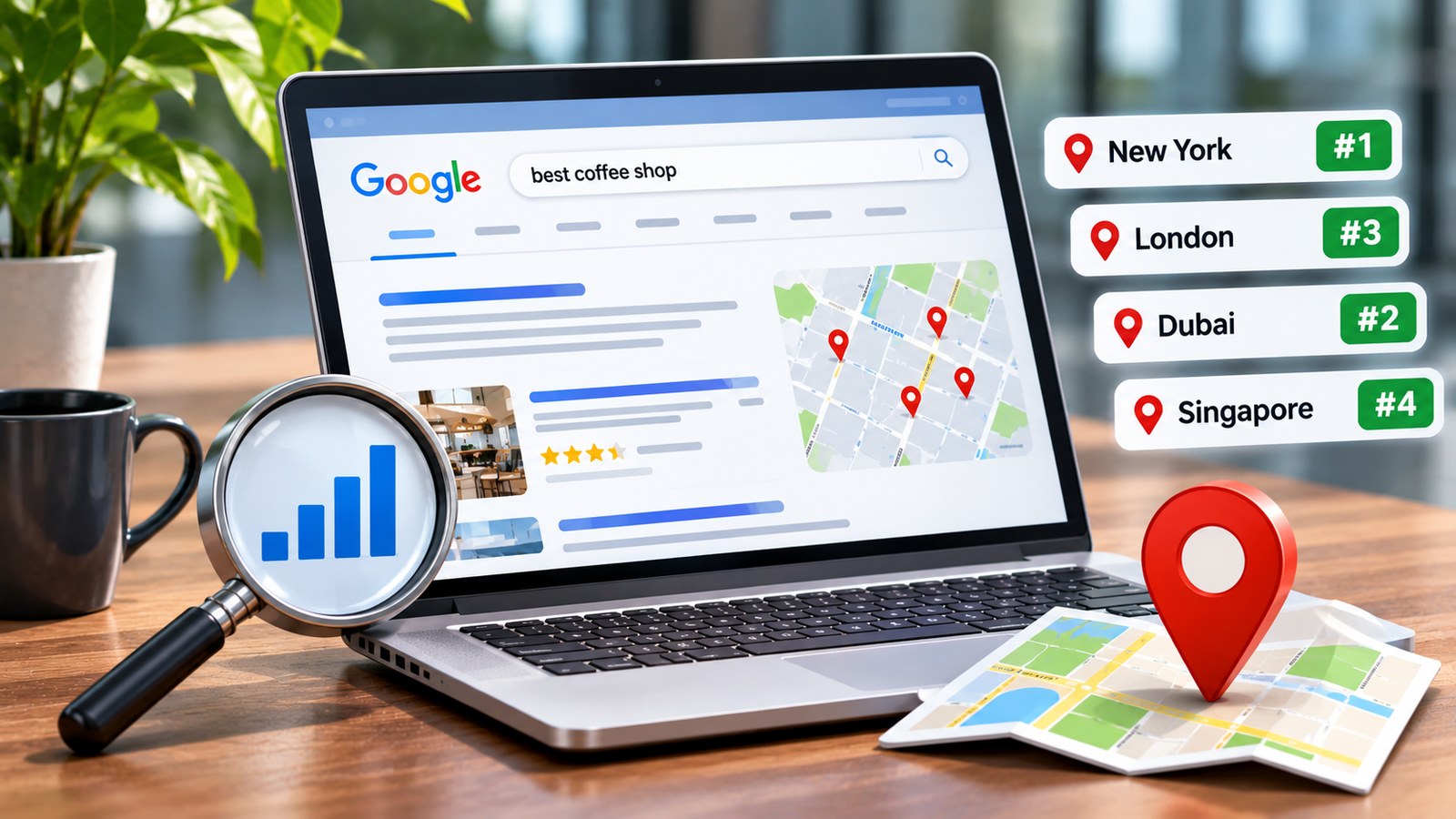
A keyword ranking is not always the same for everyone. A business searching for its website on Google from Chennai may see different results from someone searching for the same keyword in Mumbai, London, or New York. Even within the same city, rankings can vary depending on the searcher’s location, device, language, and search history.
This makes location-based keyword tracking important for businesses that want to understand how visible their websites are in specific markets. Checking rankings from the correct location helps marketers evaluate local search performance, identify opportunities, and understand whether their content is reaching the intended audience.
Whether you run a local business, manage multiple client websites, or target customers across different countries, this guide explains how to check Google keyword rankings by location and how to interpret the results accurately.
Why Google Keyword Rankings Change by Location
Google does not always display identical search results to every user. Its search systems consider several signals to provide results that are relevant to the person searching.
Location is particularly important when a keyword has local intent. For example, someone searching for a dentist may expect nearby clinics rather than a list of dental practices located hundreds of kilometres away.
Here are some reasons why keyword rankings can vary by location.
1. The Searcher’s Physical Location
Google may use the searcher’s approximate location to display relevant local businesses, service providers, and websites. A restaurant in Chennai might rank prominently for a nearby user but appear much lower for someone searching from Bengaluru.
2. Local Search Intent
Some keywords naturally indicate that the user wants a nearby service. Searches such as “plumber near me,” “best digital marketing agency in Chennai,” and “dentist in Velachery” have clear local intent.
For these keywords, Google may prioritise local business listings, map results, and websites with relevant location information.
3. Language and Regional Preferences
Language preferences can influence the results users see. A person searching in English may receive different results from someone searching in Tamil or Hindi, even when both are located in the same city.
4. Device and Search Context
Mobile and desktop searches can produce different layouts and result experiences. Mobile users frequently interact with map listings, call buttons, and location-based results, while desktop users may see a different arrangement of organic listings.
5. Competition in Different Markets
A website may face strong competition in one city and much less competition in another. A keyword ranking in the top three positions in a smaller market might rank on the second page in a highly competitive metropolitan area.
How to Check Google Keyword Rankings by Location
There are several ways to check keyword positions in different geographical markets. The best method depends on how many keywords you need to track, how frequently you want reports, and whether you are monitoring a local business or a website targeting multiple countries.
Method 1: Use Google Search Console
Google Search Console is a useful starting point for understanding how a website performs in Google Search. It provides information about impressions, clicks, average position, and search queries.
Follow these steps:
- Open your Google Search Console account.
- Select the website property you want to analyse.
- Navigate to the Performance section and open Search Results.
- Select a date range, such as the last 28 days or three months.
- Open the Queries tab to view the keywords generating impressions and clicks.
- Review the Pages and Countries tabs to understand which pages and geographical markets are contributing to performance.
Google Search Console is especially useful for identifying which keywords are generating organic traffic and how a website performs across different countries.
However, it does not provide a dedicated city-level ranking tracker. Its average position is based on recorded impressions and can vary across searches, devices, and search features. It should not be treated as a precise ranking for every user in a particular city.
Method 2: Use a Rank Tracking Tool
Dedicated keyword tracking tools allow users to monitor search positions from selected locations. Many platforms support country, state, city, and sometimes postcode-level tracking.
To use a rank tracking platform:
- Enter your website domain.
- Add the keywords you want to monitor.
- Select Google as the search engine.
- Choose the target country, city, or region.
- Select the preferred device, such as desktop or mobile.
- Start the tracking campaign.
- Review ranking changes and compare performance across locations.
Tools such as Semrush, Ahrefs, AccuRanker, and SE Ranking offer keyword research or rank tracking features with varying levels of geographical targeting. Available location options depend on the platform and subscription.
For agencies managing several websites, a rank tracking platform can make reporting easier because keywords and locations can be monitored from one dashboard.
Method 3: Check Google Results Using Location Settings
You can also investigate search results manually by adjusting Google’s search location settings. This is useful for occasional checks, competitor research, and understanding the type of results Google displays in a particular market.
Try the following process:
- Open Google Search.
- Search for the keyword you want to investigate.
- Open Google’s search settings or location-related options where available.
- Set or confirm the intended search location if Google provides that option.
- Repeat the search for other target locations.
- Record the organic results and compare the websites appearing in prominent positions.
Manual checks are useful for understanding search result layouts, but they are not a reliable substitute for consistent rank tracking. Your current location, personalisation, device, and other search signals may affect what appears.
Method 4: Use Google Ads Location Targeting for Market Research
Google Ads provides location targeting options that can help businesses understand search demand and plan campaigns for specific geographical markets.
Although Google Ads is not an organic keyword rank tracker, its Keyword Planner can help identify keyword ideas, estimated search volumes, and geographical demand.
For example, a digital marketing agency can investigate keyword demand in Chennai, Hyderabad, Bengaluru, and Mumbai before deciding which locations deserve dedicated service pages or advertising campaigns.
Use this information alongside organic ranking data rather than treating paid advertising positions as organic rankings.
How to Track Keyword Rankings in Multiple Cities
Businesses that serve customers across multiple cities should not rely on one national ranking report. A website can perform differently in each market, especially when local competitors and search intent vary.
Consider a company offering web design services in four cities:
- Web design company in Chennai
- Web design company in Bengaluru
- Web design company in Hyderabad
- Web design company in Mumbai
Instead of tracking only the broad keyword “web design company,” create separate location-based tracking entries for each target city.
Review the following information for every location:
- Current organic ranking position.
- Ranking movement over the selected period.
- Landing page appearing for the keyword.
- Competitors ranking above the website.
- Search impressions and clicks where available.
- Mobile and desktop performance.
This approach helps identify whether a website has strong visibility across all its service areas or whether certain cities need more attention.
How to Check Google Keyword Rankings in Different Countries
International businesses need to monitor rankings in each country where they want to attract customers. A keyword can have different competition levels, search intent, and language variations across markets.
For example, a company selling project management software may target:
- United States
- United Kingdom
- India
- Australia
- Canada
Track the same core keyword separately in each country. Also consider regional spelling differences, local terminology, and the search phrases customers actually use.
For international tracking, review the following factors:
- Country-specific keyword positions.
- Local competitors and competing domains.
- Country-specific landing pages.
- Language and regional search variations.
- Search impressions and organic clicks by country.
- Whether the correct version of the website appears in each market.
For websites targeting several countries, properly structured international pages and relevant hreflang implementation can help Google understand which language or regional version is intended for different audiences.
How to Check Local Keyword Rankings on Google Maps
Organic website rankings and Google Maps rankings are different. A business can appear in the regular organic results but have limited visibility in the local map results, or the other way around.
If you operate a local business, monitor both types of visibility.
To investigate local map rankings:
- Open Google Maps or Google Search.
- Enter a local service keyword, such as “dentist in Velachery.”
- Check the businesses appearing in the local results.
- Compare their business profiles, categories, reviews, and relevance to the search.
- Repeat the search from other neighbourhoods or locations using a location-aware rank tracking platform.
Local map visibility can change depending on the searcher’s distance from a business, its relevance to the query, and its prominence. A single manual search cannot represent the ranking across an entire city.
How to Improve Keyword Rankings in Specific Locations
Once you identify locations where your website is underperforming, the next step is to improve the relevance and usefulness of your pages for those markets.
1. Create Relevant Location Pages
If your business genuinely serves multiple locations, create dedicated pages that explain the services available in each area.
A useful location page should include:
- Services available in that city.
- Relevant local information.
- Examples of projects or customer experiences, where available.
- Clear contact and enquiry information.
- Answers to questions customers in that location may have.
Avoid creating dozens of nearly identical pages that only replace one city name with another. Each page should provide meaningful value to visitors.
2. Optimise Your Google Business Profile
For eligible local businesses, a complete and accurate Google Business Profile helps customers understand where the business operates and what it offers.
Keep your business name, address, phone number, opening hours, service categories, and other profile information accurate. Add genuine photos and respond professionally to customer reviews.
3. Use Location-Specific Keywords Naturally
Include relevant city and neighbourhood terms where they genuinely help explain your services. These terms can appear in page titles, headings, service descriptions, and other useful content.
Do not force a city name into every paragraph. Search engines and visitors benefit more from clear, relevant information than repetitive keyword placement.
4. Build Local Authority and Recognition
Local visibility can benefit from genuine mentions, partnerships, community involvement, and relevant business listings. Focus on building a credible presence in the markets you serve rather than collecting unrelated directory links.
5. Improve the Landing Pages That Already Rank
Sometimes a page already appears for a location-based keyword but does not perform as well as expected. Review whether the page answers the searcher’s question, explains the service clearly, loads properly on mobile devices, and provides a straightforward next step.
Improving an existing relevant page can be more useful than creating another page targeting almost the same keyword.
Common Mistakes When Checking Location-Based Rankings
Ranking reports can be misleading when the tracking setup is inconsistent. Avoid these common mistakes:
- Checking from only one location: A single search does not represent visibility across multiple cities.
- Mixing mobile and desktop data: Compare the same device type when analysing ranking changes.
- Ignoring search intent: A local service keyword and a general informational keyword may produce very different results.
- Relying entirely on manual searches: Personalisation and location signals can influence what you see.
- Confusing average position with an exact rank: Search Console reports aggregated performance, not a guaranteed position for every search.
- Tracking too many irrelevant keywords: Focus on terms that match your services, audience, and business goals.
- Ignoring the landing page: A ranking improvement is less useful if the page does not attract relevant visitors or enquiries.
How Often Should You Check Keyword Rankings?
The ideal tracking frequency depends on your industry, competition, and campaign objectives.
For most businesses, checking rankings weekly is sufficient to identify meaningful movement without overreacting to daily fluctuations. Highly competitive industries may benefit from more frequent monitoring, while smaller websites can often use monthly reviews alongside weekly automated tracking.
Look for trends over several weeks rather than making major decisions based on one ranking change.
It is also useful to review keyword rankings alongside organic traffic, search impressions, clicks, conversions, and leads. These measurements provide a more complete picture of whether improved visibility is contributing to business growth.
Frequently Asked Questions
1. Can I check Google keyword rankings for a specific city?
Yes. You can use a location-based rank tracking tool to select a specific city and monitor keyword positions from that geographical area. Google Search Console provides country-level performance data but does not offer a dedicated city-level rank tracking feature.
2. Why does my website rank differently in different cities?
Google considers factors such as location, search intent, relevance, and competition. A website may rank well in one city but appear lower in another because local competitors and search result requirements differ.
3. Is Google Search Console enough to check local keyword rankings?
Google Search Console is useful for analysing search queries, clicks, impressions, and average positions. However, it does not provide precise city-level ranking reports. A dedicated rank tracking tool is more suitable for that purpose.
4. Can I check keyword rankings without a paid tool?
Yes. You can use Google Search Console for website performance analysis and manually inspect Google results with location settings where available. However, free methods have limitations when you need consistent, detailed city-level tracking.
5. Do keyword rankings differ between mobile and desktop?
They can. Search results and their layouts may differ depending on the device. For accurate comparisons, monitor mobile and desktop rankings separately.
6. How can I check keyword rankings in another country?
Choose a rank tracking platform that supports country-specific targeting. Select the destination country, add your keywords, and monitor the results separately from your primary market.
7. Are Google Maps rankings the same as organic rankings?
No. Google Maps and local pack results are separate from traditional organic website listings. Businesses should monitor both if local customer acquisition is important to them.
8. Why do I see a different ranking when I search manually?
Your search results may be influenced by your location, device, language, search history, and other contextual signals. A rank tracking platform provides a more consistent way to compare results from a selected location.
9. How many locations should I track for my business?
Start with the cities or regions where your business actively serves customers or plans to expand. Track the most commercially relevant keywords in each location instead of monitoring every possible geographical variation.
10. Does ranking first in one city mean my website will rank first everywhere?
No. Search rankings are not universal. A website that ranks first in Chennai may rank much lower in Mumbai or another country. Each target market should be evaluated separately.
Final Thoughts
Checking Google keyword rankings by location gives businesses a more realistic understanding of their search visibility. Instead of relying on a single ranking report, marketers can examine how their websites perform across cities, regions, and countries.
Google Search Console is a good starting point for analysing actual search performance, while dedicated rank tracking platforms are useful for monitoring specific geographical positions. Local businesses should also examine Google Maps visibility separately.
The most effective approach is to track relevant keywords consistently, compare results across locations, and improve the pages that serve each audience. This turns keyword tracking into a practical way to identify opportunities and make better marketing decisions.