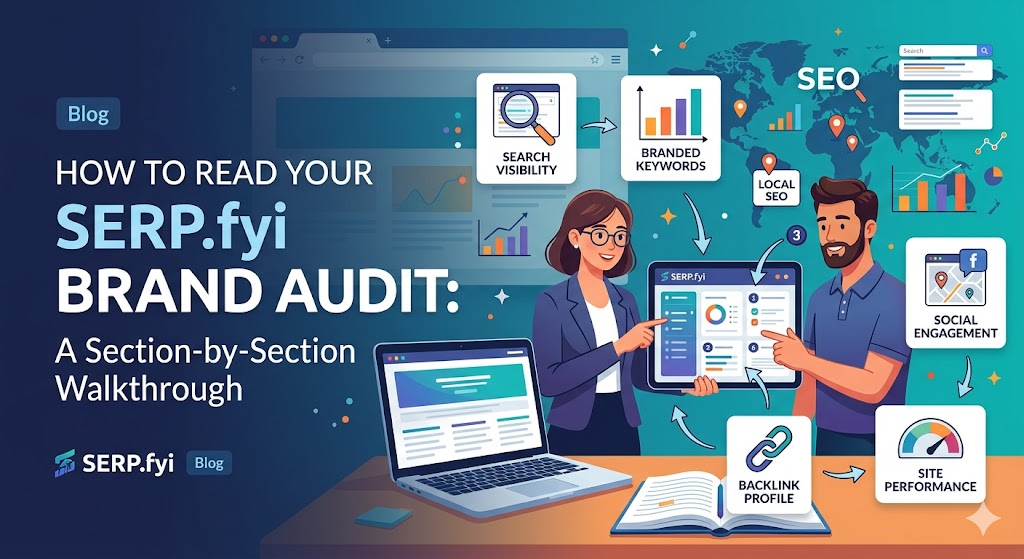
Summary: Your SERP.fyi brand audit generates a score across five core categories — Entity Consistency, Local Visibility, Review Health, AI Presence, and Content Signals. This guide walks through each section of the report, explains what the scores mean, and tells you exactly what to do with the findings. Whether you are seeing the report for the first time or revisiting after an optimization sprint, this walkthrough makes every number actionable.
“A brand audit is only as useful as your ability to act on it. This walkthrough exists so that no finding sits in your report unexplained — every section, every score, every recommendation has a specific next step.”
Before You Start: What the Audit Is Measuring
The SERP.fyi brand audit aggregates data from five distinct data streams:
- Entity data — How consistently your business name, address, and contact information appear across major directories, citation networks, and AI knowledge bases.
- Local search signals — Your Google Business Profile completeness, post frequency, Q&A activity, and local pack performance indicators.
- Review data — Review volume, velocity, sentiment distribution, and response behavior across platforms.
- AI visibility — Whether and how frequently your brand appears in ChatGPT, Perplexity, and Google AI Overview responses for relevant query types.
- Website signals — Schema markup presence, page structure, FAQ content, freshness indicators, and answer-formatted content.
Each category is scored from 0 to 100. Your overall brand score is a weighted average, with heavier weighting on Entity Consistency (30%) and Local Visibility (25%) — the two categories most directly linked to ranking outcomes in audit correlation data.
Section 1: Entity Consistency Score
This is the first section of your report and the one with the highest diagnostic value.
What It Shows
The entity consistency section compares your business name, address, and phone number (NAP) across every major citation source the audit crawls — including Google, Apple Maps, Bing Places, Yelp, Facebook, industry directories, and data aggregators.
Each comparison is categorized as:
- Exact match — Name, address, and phone are identical across sources
- Minor variance — Small formatting differences (“St” vs “Street,” parentheses in phone number) that do not create a factual conflict
- Conflict — Meaningful differences in name, address, or phone that could be interpreted as a different entity
- Missing — Your business is absent from a platform the audit expects to find you on
How to Interpret Your Score
80–100: Strong entity consistency. Your NAP profile is clean. AI tools and Google’s knowledge graph can confidently identify your business as a single, real entity.
60–79: Moderate consistency. Some conflicts or significant absences. These are worth resolving but are unlikely to be actively suppressing your ranking today.
40–59: Meaningful inconsistency. At least one major platform has a conflicting NAP record. This creates a discernible entity confidence problem that correlates with local pack suppression.
Below 40: Significant inconsistency. Multiple conflicting records. This level of entity fragmentation directly undermines AI recommendation eligibility and local pack performance. Resolving this is your first priority before any other optimization work.
What to Do
Review the detailed breakdown table below your score. It lists every platform, the NAP variant found, and the conflict type.
For exact matches and minor variances: no action required.
For conflicts: access each platform directly and update to your canonical NAP. The canonical version should match your Google Business Profile exactly. Start with the highest-authority platforms (Google, Facebook, Apple Maps) and work down.
For missing listings: create the missing profile. Even a basic, verified listing on a missing platform improves your citation profile and feeds AI knowledge base crawlers.
Timeline: Entity cleanup for a practice with moderate inconsistency typically takes 2–4 weeks, including verification delays on platforms like Apple Maps and Yelp.
Section 2: Local Visibility Score
This section evaluates the completeness and activity level of your Google Business Profile, supplemented by local pack performance indicators.
What It Shows
The local visibility section breaks into three sub-scores:
GBP Completeness (0–100): A field-by-field assessment of how many of the trackable GBP fields are populated. Scoring follows a tiered weighting — Tier 1 fields (primary category, hours, description, services) are weighted 3x; Tier 2 fields (photos, Q&A, attributes) are weighted 2x; Tier 3 fields (posts, video, social links) are weighted 1x.
Post Activity (0–100): Frequency of Google Posts over the trailing 90 days. Zero posts = 0. Weekly posts = 85+. Daily posts with photos = 100.
Q&A Engagement (0–100): Number of seeded questions, percentage of third-party questions answered, and average response length. Longer, more detailed answers score higher because they contribute more usable content to AI knowledge bases.
How to Interpret Your Score
85–100: Excellent. You are extracting most of the available value from your GBP. Focus on maintaining consistency rather than making major changes.
65–84: Good baseline, but there are identifiable gaps — typically in post frequency or Q&A completeness. Targeted improvement here yields measurable pack ranking gains.
40–64: Below competitive threshold for most markets. Multiple Tier 1 or Tier 2 fields are likely missing. Treat this as a structured remediation project, not a quick fix.
Below 40: The profile is functioning as a basic listing, not as an optimized local visibility asset. A comprehensive GBP overhaul is needed before other SEO work will show results.
What to Do
The report includes a GBP field checklist with each item marked Complete, Partial, or Missing. Start with every item marked Missing that falls in Tier 1. Then work through Tier 2. Tier 3 items (posts, video) become an ongoing maintenance task rather than a one-time fix.
For post activity: set a weekly recurring calendar reminder. One Google Post per week with an image takes 5–10 minutes and prevents your post activity score from decaying.
For Q&A: allocate 30–45 minutes to seed your profile with 8–10 questions and detailed answers. After that, check for new third-party questions monthly.
Section 3: Review Health Score
This section examines your review profile across all platforms the audit tracks, with particular attention to patterns that influence both Google’s ranking algorithm and AI recommendation behavior.
What It Shows
Review health is broken into four components:
Volume Score: Your total review count benchmarked against the median for your business category and market tier. A score of 80+ means you are at or above the 75th percentile for your peer group. A score below 50 means you are in the bottom half.
Velocity Score: Your review acquisition rate over the trailing 60 days, compared to your historical average and your competitive benchmark. Declining velocity is flagged as a risk indicator even if your total volume is high.
Sentiment Distribution: The proportion of reviews that are positive (4–5 stars), neutral (3 stars), and negative (1–2 stars). Also flags patterns in negative review language — repeated themes (wait times, billing, communication) indicate operational issues that SEO alone cannot fix.
Response Rate: Percentage of reviews (all ratings) that have a response. Also tracks average response time.
How to Interpret Your Score
75–100: Healthy review profile. Your volume, velocity, sentiment, and response behavior are all in a range that supports strong local pack ranking and positive AI recommendation language.
55–74: Adequate but improvable. Likely one underperforming component — most commonly velocity (reviews arriving slower than the benchmark) or response rate.
35–54: Below competitive threshold. Businesses in this range are often ranked below competitors with fewer total reviews but better velocity and response behavior. Velocity and response are weighted heavily in the scoring model.
Below 35: Active review health problem. Either very low volume, significant negative sentiment concentration, or near-zero response behavior. In some cases, all three. This requires a structured intervention, not incremental improvement.
What to Do
For low volume: Implement a systematic review request process — SMS within 2 hours of service completion is the highest-converting trigger across all business types in SERP.fyi data.
For low velocity: Audit your current review request process for friction points. If you are asking verbally at the end of a transaction, move to a link-based request. Verbal requests without a direct link convert at roughly 8%. Link-based SMS requests convert at 22–35%.
For negative sentiment patterns: The audit flags the specific language appearing most frequently in your negative reviews. These are operational signals, not just reputation signals. Addressing the root cause (common: wait times, communication gaps, billing surprises) is the only reliable fix.
For low response rate: Schedule a weekly 15-minute block to respond to all unresponded reviews. The report shows you exactly how many responses are outstanding.
Section 4: AI Presence Score
This is the newest section of the SERP.fyi audit, added in Q4 2025 in response to the rapid growth of AI-driven discovery behavior.
What It Shows
The AI Presence score reflects how frequently and how prominently your brand appears in AI-generated responses across ChatGPT, Perplexity, and Google AI Overviews for a set of query types relevant to your business category and location.
The audit runs 20 test queries per business profile across three query types:
- Category queries (“best [your category] in [your city]”)
- Problem queries (“who can help with [common problem you solve]”)
- Brand queries (“is [your business name] recommended” / “reviews of [your business name]”)
Results are categorized by mention type:
- Named first: Your business is the first recommendation in the response
- Named in list: Your business appears in a multi-option list
- Source cited: Your website or a listing you control is cited as a source, even without a direct recommendation
- Not mentioned: Your brand does not appear
How to Interpret Your Score
70–100: Strong AI presence. You are being recommended across multiple query types. Focus on maintaining your entity signals and expanding into new query categories.
45–69: Partial presence. You appear for some query types but not others. The report identifies which query categories are producing mentions and which are producing gaps.
20–44: Weak presence. Your brand appears occasionally — typically only on brand-specific queries — but is absent from category and problem queries. This is the most common score range for businesses that have not intentionally optimized for AI visibility.
Below 20: Not visible to AI recommendation systems. Your entity signals are insufficient for AI tools to confidently recommend your business. This score range correlates strongly with low entity consistency and thin citation profiles.
What to Do
The report identifies the specific query types where you are not appearing and the competitors who are appearing in your place.
The path to improving AI presence:
- Resolve any entity consistency issues (Section 1 fixes first)
- Build citation presence on the platforms your AI-visible competitors are cited on
- Add answer-formatted content to your website that directly addresses the question types you are missing
- Improve review sentiment and specificity — AI tools read review content to generate recommendation language
Section 5: Content Signals Score
This section assesses your website’s structural readiness to be cited by AI tools and to rank for informational queries that drive awareness.
What It Shows
Content signals evaluates:
Schema Markup Presence: Whether your site has LocalBusiness, Organization, or industry-specific schema. A missing or malformed schema is flagged.
FAQ Content: Whether your service pages include FAQ sections with direct, answer-formatted responses. Pages without FAQs score lower because AI tools have nothing clean to extract.
Page Freshness: When your key pages were last updated. Pages older than 18 months without any visible updates are flagged.
H2/H3 Structure: Whether your headings follow a logical hierarchy that AI crawlers can use to identify the page’s primary topics.
Answer Density: A measure of how many of your pages answer questions directly in the first 2–3 sentences of each section, rather than burying answers in paragraph-heavy text.
How to Interpret Your Score
80–100: Content is well-structured for both human readers and AI citation. Maintain freshness by updating pages annually at minimum.
55–79: Good structure with identifiable gaps — typically missing FAQ sections on service pages or absent schema markup.
30–54: Content is present but structured for keyword density rather than answer clarity. Significant restructuring of service pages is recommended.
Below 30: Content is thin, infrequently updated, or structured in a way that is difficult for AI tools to parse. This is often the limiting factor for businesses that have strong entity signals but still do not appear in AI recommendations.
What to Do
Add schema markup first — it has the highest impact-to-effort ratio of any content signal improvement. A developer can implement LocalBusiness schema in 1–2 hours.
Then add FAQ sections to your top 5 service pages. Each FAQ should have at least 5 questions answered in direct, concise prose.
Finally, review page freshness. Update the last-modified date and add one new paragraph to any page older than 18 months.
How the Overall Score Is Calculated
| Section | Weight |
|---|---|
| Entity Consistency | 30% |
| Local Visibility | 25% |
| Review Health | 20% |
| AI Presence | 15% |
| Content Signals | 10% |
Overall score benchmarks:
| Score | What It Means |
|---|---|
| 75–100 | Competitive — you are in or near the top tier for your market |
| 55–74 | Visible but improvable — specific targeted fixes will move rankings |
| 35–54 | Below competitive threshold — comprehensive remediation needed |
| Below 35 | Urgent — multiple compounding issues suppressing performance |
The audit is designed to be re-run every 30–60 days during an active optimization period and quarterly for well-performing brands. Each re-run captures any changes made since the previous audit and updates all scores in real time.
FAQ
Why is my entity consistency score low even though I created my listings myself? Listings drift over time. Data aggregators push updates that overwrite your information, especially in categories with high business turnover. Your listings were accurate when you created them — they may not be now.
My GBP completeness score is high but my AI presence score is low. Why? GBP completeness is necessary but not sufficient for AI visibility. Citation volume, review sentiment, and website content structure all feed AI recommendation eligibility independently of your GBP.
The report shows a competitor in my “AI Presence” gap analysis. How do I use this? Look at what properties are being cited for that competitor in AI responses. If a Healthgrades profile is being cited, strengthen yours. If their website FAQ is being cited, create equivalent content on your site.
Can I dispute a score I think is inaccurate? The audit pulls live data from public sources. If you believe a score reflects stale data, check whether the underlying data source has been updated — some directories and review platforms have crawl delays of 2–4 weeks.
How quickly will my score change after I make improvements? Entity consistency changes often update within 24–72 hours. GBP completeness updates are near-instant. Review velocity and AI presence scores change more slowly — typically 4–8 weeks after the underlying changes are made.
Summary
Your SERP.fyi brand audit is a diagnostic instrument, not a vanity scorecard. Each section — Entity Consistency, Local Visibility, Review Health, AI Presence, Content Signals — maps to a specific set of actions with documented ranking and recommendation impact. Read it section by section, prioritize by weighted impact, and re-run it after each optimization sprint.
If you have not yet run your audit, start now at serp.fyi/register — your brand score is waiting.