When users search for a brand on Google, they sometimes see more than just a single blue link.
Below the main result, Google may display additional links that point directly to important sections of the website. These are called sitelinks.
Sitelinks make a search result larger, more visible, and easier to navigate. They help users jump directly to pages like pricing, blogs, contact pages, product categories, or support sections without first landing on the homepage.
For brands, this extra visibility can dramatically improve click-through rates, trust, and search presence.
Although Google automatically generates sitelinks algorithmically, website owners can strongly influence whether sitelinks appear and which pages Google chooses to display.
Understanding how sitelinks work is one of the most overlooked parts of SEO, yet it can have a major impact on brand visibility in search results.
What Are Google Sitelinks?
Google sitelinks are additional links that appear underneath a primary search result, usually for branded or highly authoritative searches.
For example, when someone searches for a major company, Google may show links to sections such as:
- About Us
- Pricing
- Products
- Contact
- Careers
- Blog
Instead of forcing users to navigate through the homepage, sitelinks allow them to reach important pages directly from the search results page.
This improves the overall user experience and helps Google deliver faster answers.
Sitelinks usually appear for searches where Google has high confidence about user intent, especially branded searches.
Why Sitelinks Matter for SEO
Sitelinks occupy significantly more space on the search engine results page.
That extra visibility pushes competitors lower while increasing the credibility of your brand.
Users are also more likely to click results that appear structured and authoritative.
From an SEO perspective, sitelinks can improve:
- Click-through rates
- Brand trust
- User navigation
- Conversion opportunities
- SERP dominance
They also reduce friction for visitors by helping them reach the exact page they need immediately.
For ecommerce businesses, this can drive users directly to product categories or offers. For SaaS companies, sitelinks often guide visitors toward pricing pages, demos, or documentation.
How Google Generates Sitelinks
Google does not manually assign sitelinks.
The process is fully automated.
Its algorithms analyze a website’s structure, internal linking, navigation hierarchy, user behavior, and page authority to determine which pages deserve additional visibility.
Google generally selects pages that:
- Receive strong internal linking
- Have clear navigation signals
- Are frequently visited
- Match common user intent
- Offer useful content
The better organized your website is, the easier it becomes for Google to understand which pages matter most.
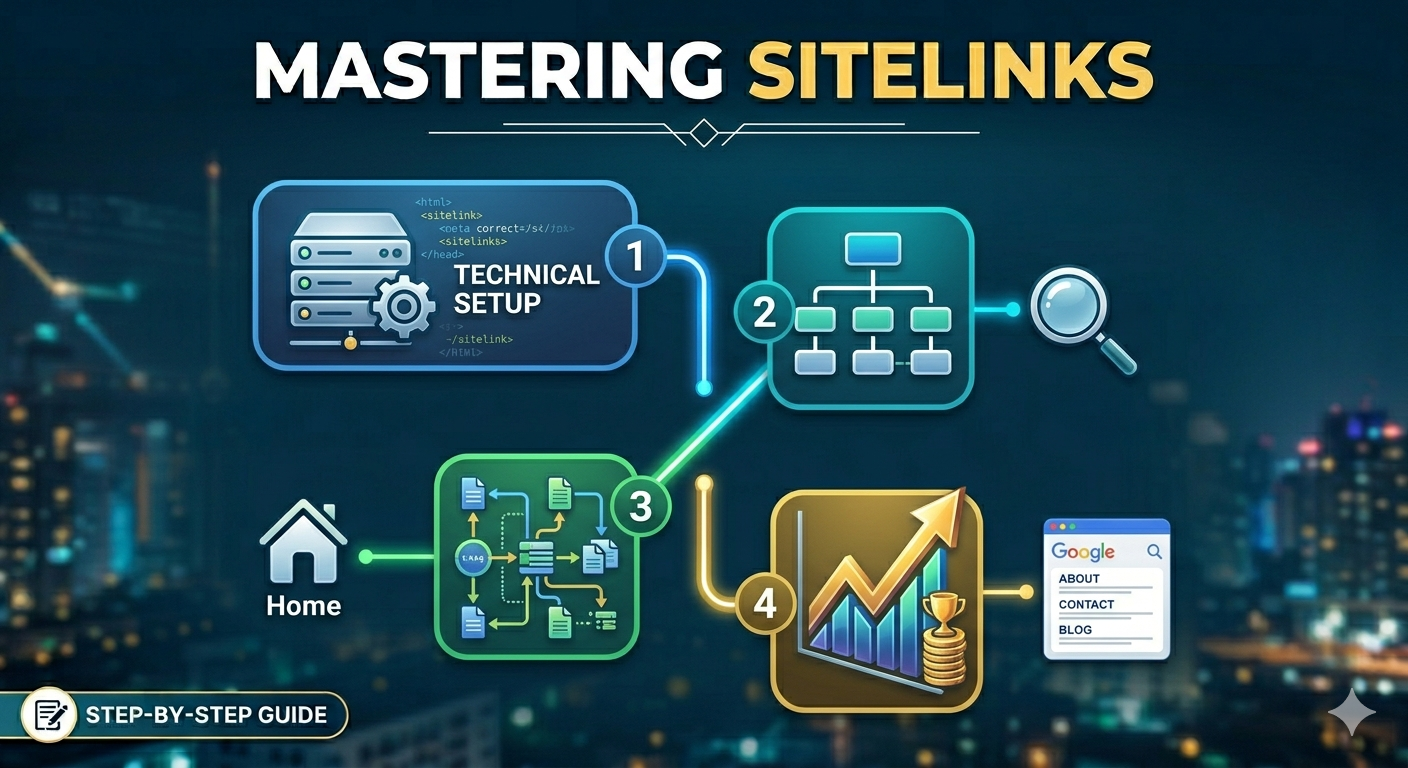
Step 1: Build a Clear Website Structure
The foundation of sitelinks starts with website architecture.
Google needs to understand how your pages connect and which sections are most important.
A messy or confusing structure makes this difficult.
Your navigation should feel logical and predictable for both users and search engines.
Important pages should never be buried deep inside the site.
A simple hierarchy works best:
Homepage → Main Categories → Subpages
For example, a SaaS company may structure navigation like this:
- Features
- Pricing
- Integrations
- Resources
- Contact
This gives Google clear signals about page importance.
Step 2: Improve Internal Linking
Internal links help Google discover relationships between pages.
They also distribute authority throughout the website.
If a page receives many contextual internal links, Google is more likely to view it as important.
For example, if blog articles repeatedly link to your pricing page, documentation, or category pages, those sections gain stronger prominence in Google’s understanding of the site.
Anchor text matters too.
Instead of generic phrases like “click here,” use descriptive language that clearly explains the destination page.
This improves semantic understanding and strengthens sitelink relevance.
Step 3: Use Descriptive and Organized Navigation
Navigation menus play a major role in sitelink generation.
Google often pulls sitelinks directly from primary navigation structures.
Your menu labels should be:
- Clear
- Consistent
- Simple
- Descriptive
Avoid vague naming conventions or overly creative labels that make page purpose unclear.
For example:
“Pricing” is stronger than “Plans That Grow With You.”
Clarity helps both users and search engines.
Step 4: Optimize Title Tags and Meta Descriptions
Google frequently uses page titles when generating sitelinks.
Weak or duplicated titles can confuse search engines.
Every important page should have:
- A unique title tag
- Clear topic relevance
- Strong branding alignment
Meta descriptions do not directly create sitelinks, but they help improve click-through rates and reinforce page intent.
Well-optimized metadata improves overall SERP presentation.
Step 5: Submit an XML Sitemap
An XML sitemap helps Google discover and crawl important pages more efficiently.
While it does not guarantee sitelinks, it strengthens your technical SEO foundation.
Submitting a sitemap through Google Search Console helps ensure Google understands your website structure properly.
It also improves indexing efficiency for larger websites.
Step 6: Strengthen Brand Signals
Sitelinks appear most often for strong branded searches.
Google needs confidence that your website represents a recognized entity.
Building brand authority helps increase the likelihood of sitelink generation.
This can happen through:
- Consistent branding
- High-quality backlinks
- Strong user engagement
- Brand mentions
- Active content publishing
The more established your online presence becomes, the more likely Google is to expand your search listing with sitelinks.
Step 7: Improve User Experience
Google prioritizes pages that users actually engage with.
If visitors bounce quickly or struggle to navigate your website, sitelink generation becomes less likely.
A strong user experience includes:
- Fast loading speed
- Mobile optimization
- Clear navigation
- Helpful content
- Logical page flow
Google wants sitelinks to improve search efficiency, so it favors websites that already provide smooth user journeys.
Can You Choose Your Own Sitelinks?
Not directly.
Years ago, Google allowed website owners to demote unwanted sitelinks manually through Search Console. That feature no longer exists.
Today, sitelinks are fully algorithmic.
However, you can still influence them heavily through:
- Site structure
- Internal linking
- Navigation design
- Content hierarchy
- User behavior signals
While you cannot force Google to display a specific sitelink, you can guide the algorithm toward the pages you want prioritized.
Why Some Websites Do Not Get Sitelinks
Many websites never receive sitelinks because Google lacks confidence in their structure or authority.
Common reasons include:
- Weak internal linking
- Poor navigation
- Thin content
- Low brand recognition
- Duplicate metadata
- Confusing architecture
Smaller websites may also simply lack enough authority or branded search volume.
Sitelinks are generally earned over time as Google develops trust in the website.
The Different Types of Google Sitelinks
Google now displays sitelinks in several formats.
Traditional sitelinks appear as a list beneath the main result.
However, Google also uses:
- Inline sitelinks
- Search box sitelinks
- Mobile sitelinks
- Expanded sitelink layouts
The format depends on the search query, device type, and website authority.
Large brands often receive richer sitelink layouts because Google has stronger confidence in user intent.
Sitelinks and Brand Authority
Sitelinks are not just an SEO feature.
They are a trust signal.
When users see a large branded result with multiple sitelinks, the website appears more authoritative and established.
This creates psychological advantages:
- Higher trust
- Better visibility
- Increased credibility
- Stronger click behavior
In competitive industries, dominating more SERP space can significantly impact traffic and conversions.
Final Thoughts
Google sitelinks may seem automatic, but they are heavily influenced by how well your website is organized and understood by search engines.
A clean site structure, strong internal linking, clear navigation, and consistent branding all increase the chances of earning sitelinks over time.
While there is no direct “enable sitelinks” button, websites that prioritize user experience and technical SEO naturally give Google the signals it needs to expand search visibility.
In today’s crowded search landscape, sitelinks are more than an extra feature. They are a powerful extension of your brand presence on Google’s results pages.